Video is part of almost every online strategy now, whether you’re a brand, entrepreneur, or just sharing something you believe in. I see it everywhere, from fast scrolls on social networks to ads that catch my eye. But when I talk to people—clients, friends, business owners—many admit they don’t like the idea of putting their face on camera. That discomfort is real.
The good news is, you absolutely can create videos that grab attention and perform well, even if you never want to show your face. Over years of working with businesses at Strattz, I’ve learned it’s not about always being in the spotlight, but about delivering stories, solutions, and value in a way you feel comfortable with.
Why face-free videos work
I often hear, “But won’t people connect less without seeing me?” My honest answer: it’s possible, but only if your message is unclear or forgettable. Most viewers care about the story, information, or solution you offer. The method—face or no face—comes second. In fact, many great businesses thrive solely with videos where personalities stay behind the scenes. I know this because I’ve helped create these projects myself.
Before I share the seven ideas, let’s look at face-free video formats you can mix and match:
- Screen recordings or walkthroughs
- Slideshows made from photos or designs
- Voice-over plus images or graphics
- Product demos focusing only on your hands
- Animated text and titles that pop
- Stop-motion, time-lapses, or sped-up “process” clips
- Photo-based stories, with music or captions
Easy structure for successful short videos
From my days scripting videos at Strattz, I’ve noticed that sticking to a simple formula keeps things smooth and fast:
- Grab attention fast. Those first three seconds matter more than anything—try a surprising visual, bold text, a sound effect, or a burning question.
- Present your key idea or problem. Make it clear: what is this about? Say it up front.
- Show how to fix it, do it, or learn it. This is the action part—demo, explain, illustrate.
- End with one call to action. Ask them to follow, comment, visit your site, or try something specific.
That’s it. No mystery. This applies to almost any video—slideshows, screen recordings, process clips, or a scrolling gallery of your work.
Seven ideas to create great face-free videos
1. Screen recordings that teach or solve a problem
If you know how to do something on your device or software, screen recording is a powerful solution. You don’t need a fancy setup—apps for phones and desktop do the job well. Examples I worked on for Las Vegas businesses include how-tos for booking systems or live walkthroughs of websites. Pair it with your voice or text overlays for clarity.
2. Slideshows from photos, graphics, or documents
This works for almost any industry. A real estate agent might show property photos in a quick sequence, with notes or icons. Designers I help often create a video portfolio—no speech needed, just visuals set to music. By using online tools, you can arrange, trim, and time slides easily.
 3. Voice-over with supporting images or video clips
 3. Voice-over with supporting images or video clips
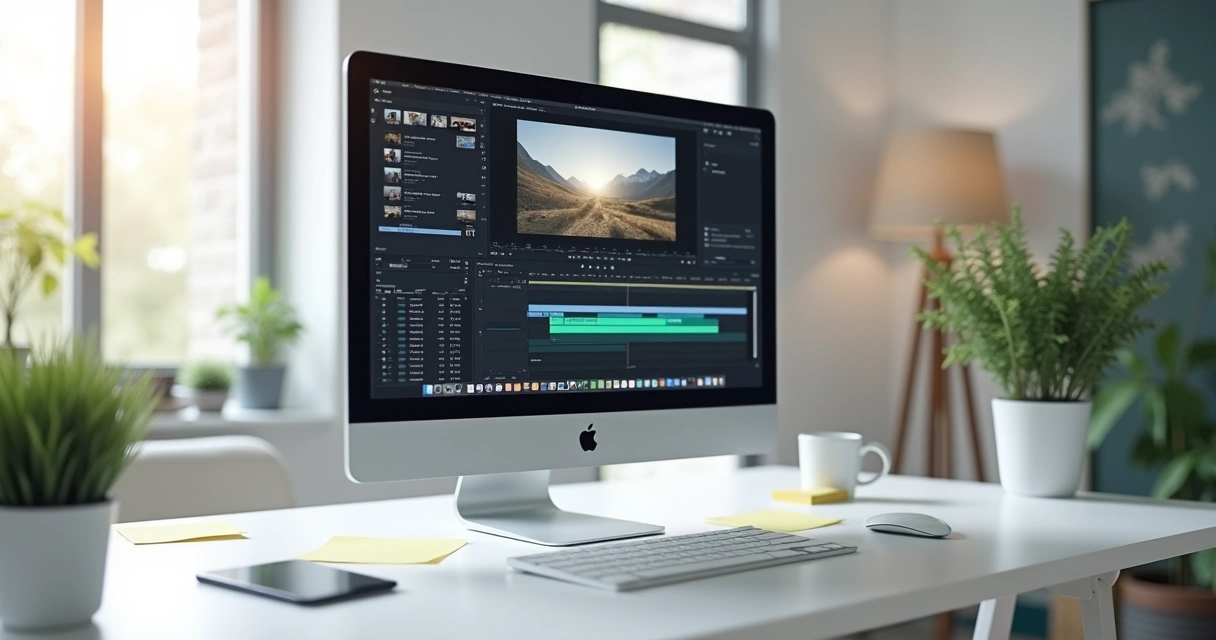
Adding your voice—even if you don’t show your face—makes videos relatable and clear. I’ve seen business owners use phone-recorded voice-overs paired with photos, recordings of products, or even slides with bullet points. It feels natural, especially if you write a short script ahead of time. Speak slowly and clearly, and always listen before posting.
4. Product demonstrations using hands only
Sometimes people want to see the process close up. You can film your hands opening a package, assembling something, or demonstrating an item’s use. For example, I helped a bakery show icing techniques: just a table, hands, and tools in the frame. Natural light and a steady phone camera do the trick.
5. Animated text or typography videos
I’m a fan of videos where the text does the talking. Moving words, animated quotes, or snappy captions give pace and energy. Mix backgrounds—bold colors, gradients, or photos—for added appeal. Many free apps help animate text, and you can combine this with music or sound effects.
6. Time-lapse of processes, art, or daily routines
Shrinking a longer process into a short, fast-forwarded video is always eye-catching. Art creation, cleaning, arranging a shelf, or even an office’s day can become a compelling tiny story. Most smartphones have a time-lapse mode—give it a shot.
7. Image-based videos or photo stories
 7. Image-based videos or photo stories
This format is great for small businesses and freelancers. Take a set of images—products, art, progress shots—and stitch them into a story. Add soft transitions, intro text, royalty-free music, and go. For example, I helped a Las Vegas hairstylist build brand trust by highlighting before-and-after photos in these story-based videos.
Simple tricks that make faceless videos shine
Over years of content creation, a few practical steps stand out. They work, save time, and lower stress:
- Write a short script or outline (especially for voice-overs or text-based videos). This keeps your message tight and your pacing lively.
- Rely on natural light when you can. Videos look warmer and clearer. Position items by windows or film outdoors if possible.
- Keep your shots steady. A stack of books or a simple tripod for your phone will help.
- If you’re not talking, use subtitles or animated text. This boosts watch time and accessibility.
- Reuse images, graphics, or past work to add visual interest and context.
- Short is better. Under one minute is often enough to deliver your point, especially for social media.
Editing: fast, free, and on your phone
I’ve seen many overthink editing, waiting until they have complicated tools or training. Today, most smartphones make trimming, speeding up, and cutting clips easy. There are several free apps that offer drag-and-drop or cut functions, plus filters or transitions. Focus on clarity: your story should flow and be easy to follow.
It’s not about being perfect. It’s about being clear.
Many business owners I meet at Strattz are surprised to discover that even a video with simple cuts and subtitles brings more engagement than a highly produced video that feels stiff or impersonal.
Real-world examples: what works in practice
Just last month, a local coffee shop created quick “feature” videos—showing cups being filled, beans being ground, or hands pouring latte art. No faces, just the process and the final product. The results? More social shares and positive feedback.
Likewise, I’ve helped freelancers, designers, and retailers present their portfolios, testimonials, or special offers using image stories, text overlays, or hand demonstrations. The common thread? Authenticity and simplicity win viewers, not expensive visuals or staged sets.
If you want inspiration, I keep a list of project highlights and tips at my author page and you can always search examples using the content search tool. There are many effective approaches—find your style and keep things honest and simple.
Getting started: focus on communication, not perfection
If you feel nervous about being on camera, that’s completely normal. Most people do, at least at first. Here’s what I tell clients—start small, focus on your message, test, and improve as you go. Every video you create is a chance to practice and connect. The more you do, the more natural it becomes. And sometimes, your best videos come from spontaneous moments, not planned performances.
Your viewers want value—answers, inspiration, or entertainment. They don’t judge your voice, hands, or background.
If you’d like to see more about how we help businesses grow in Las Vegas and beyond, and want specialized guidance, Strattz is here to support you in using video easily. I invite you to check out practical step-by-step articles, like this guide on social media visuals, and discover how the right formats can bring your message to life with less stress.
Conclusion: anyone can start making videos today
Even if you never show your face, you can make videos that resonate. Whether you choose screen recordings, slideshows, voice-overs, or creative text, your focus should always be on the message and the benefit for your viewer. You don’t need expensive tools or a studio—just a bit of time, some creativity, and the courage to try.
If you’re ready to take that step and want expert advice, the Strattz team is always happy to help you craft messages that grow your business in Las Vegas and beyond. Don’t wait for perfect gear or a perfect plan—start simple, test, learn, and see how far you can go with the power of video. For more insights and hands-on strategies, check out actionable posts like this overview of branding with visuals or step-by-step guides to stronger content.
If you’re inspired to make your first face-free video, take action today—and let Strattz guide you on your creative journey.
Frequently asked questions
What types of videos can I make faceless?
You can create screen recordings, slideshows, photo stories, voice-over videos with supporting clips or content, animated text videos, hand-focused product demos, and time-lapses. Each of these formats allows you to keep your face out of the frame while still sharing your message clearly.
How do I record audio without showing myself?
Use your phone’s recording app, a computer microphone, or dedicated recording tools to capture audio, then synchronize it to images, graphics, or clips. Pre-writing a script helps you sound confident and keeps your message focused.
Is it worth it to hide my face?
If being on camera makes you uncomfortable, it’s better to focus on clear communication than on appearances. Many viewers care more about helpful or interesting content than who is presenting it. I’ve seen plenty of successful face-free brands and personalities who connect effectively with their audience.
What tools help create faceless videos?
There are free and paid tools for phones and computers for editing slideshows, creating animated text, or recording your screen. Many smartphone camera apps include time-lapse, trimming, and subtitle features. You don’t need complicated or expensive gear—start with what you have.
How can I grow a faceless channel?
Stay consistent, create useful or interesting content, and engage with your audience using comments or text. Optimize your video titles, subtitles, and descriptions to help people find your work. Focusing on the value you bring keeps viewers coming back, whether or not you show your face.